
Appearance
Location and Home
Weather Buddy works with two places: where you are and your Home.
- Where you are drives the Now card, Next few hours, Getting outside and the Rain soon alert.
- Home drives Laundry, Outdoor jobs and the laundry alerts. It's also the backup when your location can't be found.
Where you are
Weather Buddy asks for your location only while you're using the app. It never asks for "Always". It tries, in order:
- A precise fix, if Precise Location is on.
- An approximate fix.
- The last place your phone knew.
- If none of those work, the middle of the UK, and it tells you so.
The name at the top, such as Bath, Somerset, comes from a place-name lookup. If that fails you'll see the coordinates instead, such as Near 51.38, -2.36.
Rounded before it leaves your phone
Your location is rounded to about a kilometre before it's sent anywhere. See Privacy and your data.
Home
Set your Home in Settings → Home. You have two ways:
- Use where I am now: handy if you're at home now.
- Search for a place: start typing a town, street or postcode and pick from the suggestions.
To clear it, tap Remove Home.
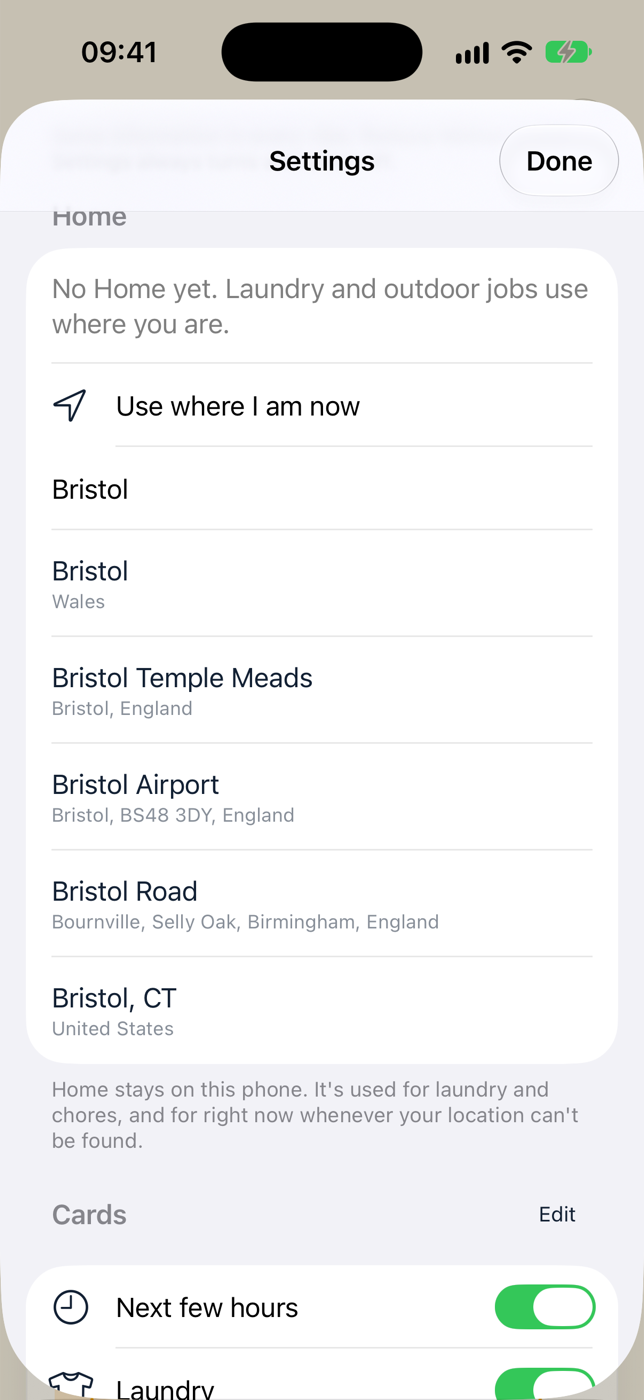
Home stays on your phone. It's used for laundry and outdoor jobs, and for the Now card whenever your location can't be found.
If Home is within 2 km of where you are, Weather Buddy uses one forecast for both.
Why set a Home?
- Laundry and outdoor jobs are about your garden, even when you're at work.
- The Bring the washing in, Drying weather starting and Tomorrow's a washing day alerts only work with a Home.
- If location is off or can't be found, the Now card uses Home instead of the middle of the UK.
When your location can't be found
If location is off, or your phone can't get a fix, the top of the Now card shows a notice instead of the place name.
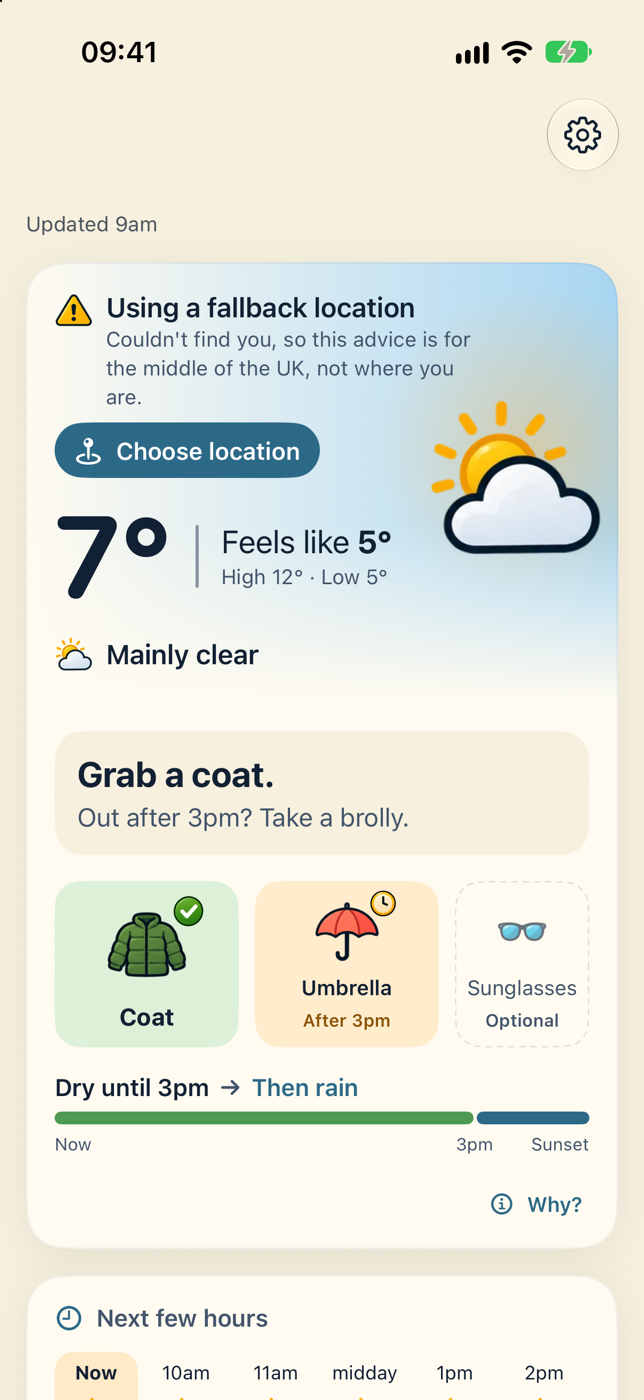
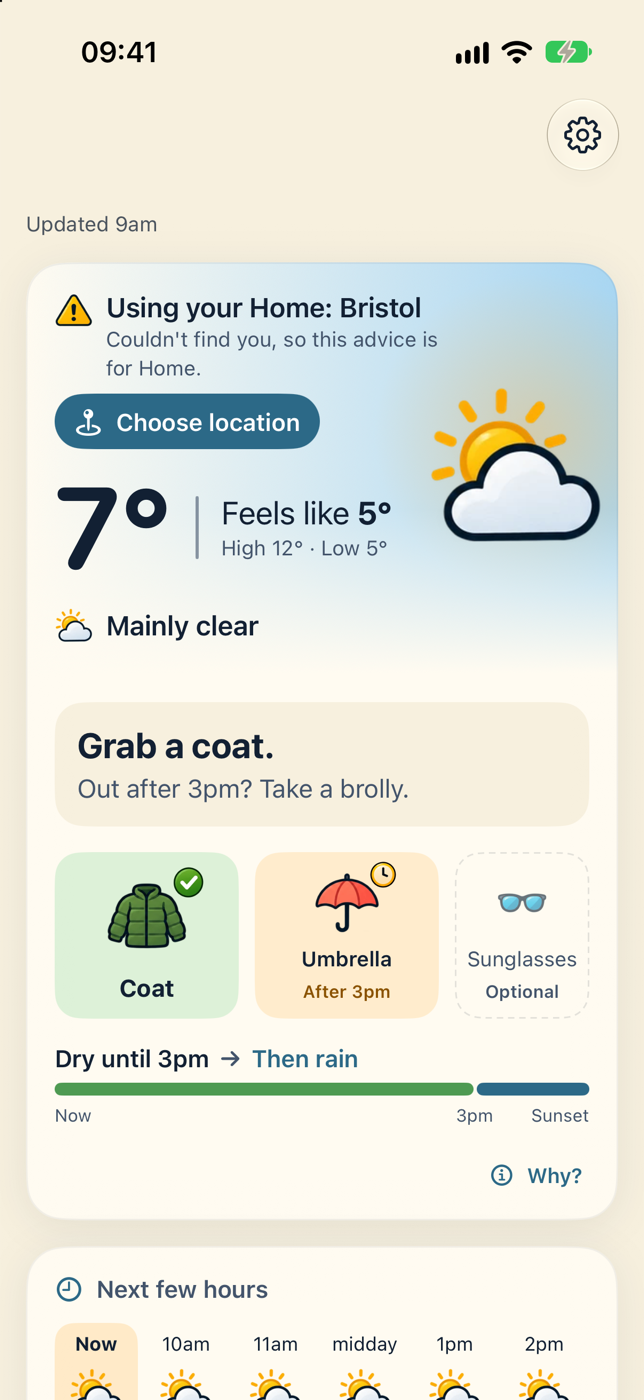
| You've set a Home? | You'll see |
|---|---|
| Yes | Using your Home: Bristol, with Location is off, so this advice is for Home. (or Couldn't find you…) |
| No | Using a fallback location, with Couldn't find you, so this advice is for the middle of the UK, not where you are. |
Tap Choose location to go straight to the Home settings. To turn location back on, use Settings → Home → Allow location access, which opens iOS Settings.